Moderators, please remove this thread if not allowed.
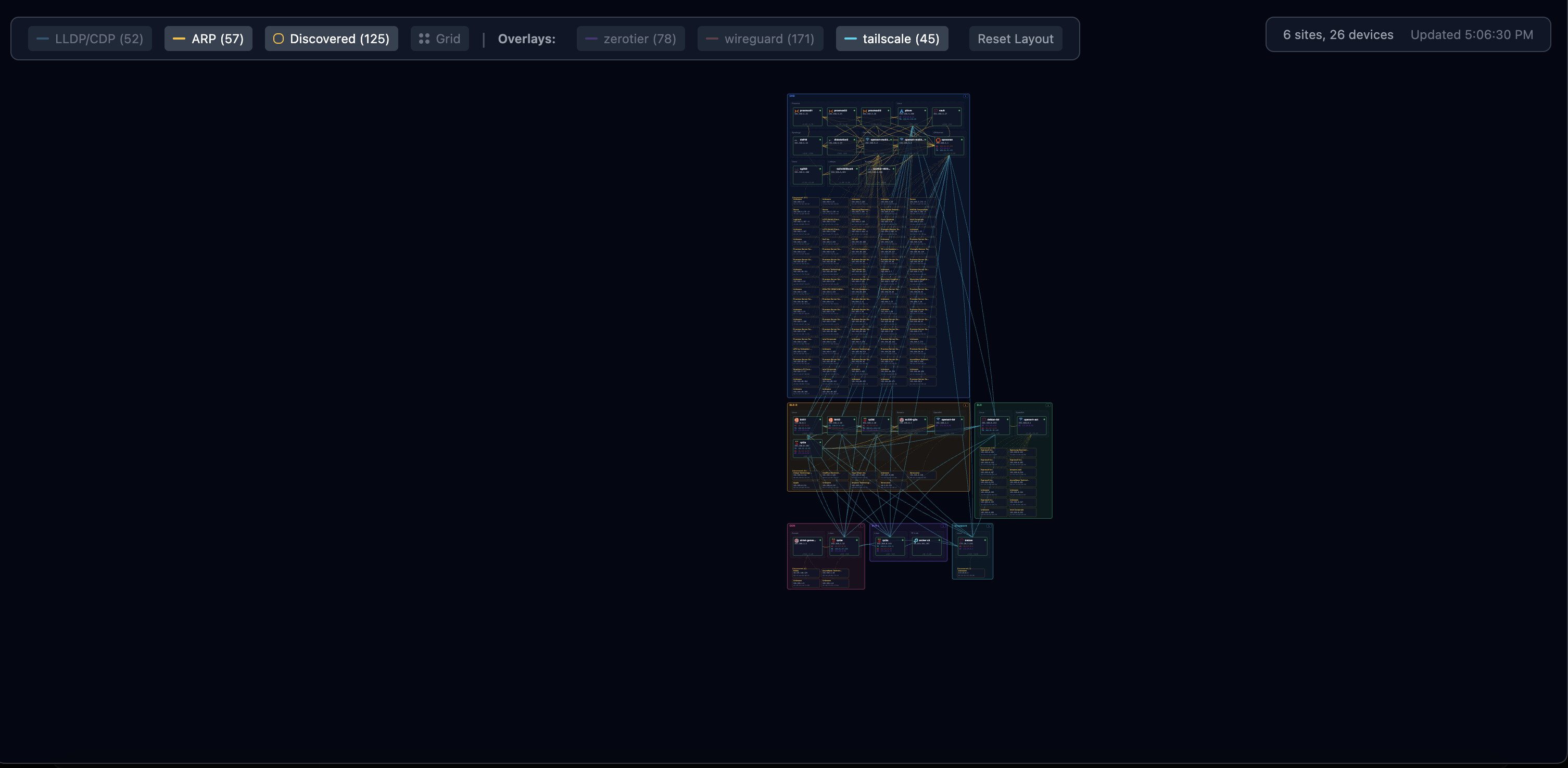
I have created a standalone dashboard, only utilizing Librenms API and backend. No configuration at all, except if you want to override some sane defaults. This project heavily utilizes AI agent.
Looks kinda like custom maps
Yes, the layout is generated dynamically based on LibreNMS device/Network data. No config on the dashboard side.
It a uses LLDP/CDP, ARPtable, and scraps routing information from webpage (couldn’t find a better way to do it)
Zerotier, Tailscale and Wireguard network across multiple “Locations” are treated as overlay network.
I have making it feature rich for last few days, a lot of tooltip hover of devices, discovered device, overlay link, Arplink, CDP/LLDP linking etc.
Devices grouped by LibreNMS location
Overlay links for ZeroTier, WireGuard, Tailscale, GRE, IPSec, Tinc, PPTP, Tunnel, and TAP (auto-detected by interface name)
LLDP/CDP neighbor links
ARP-derived links, filtered to same-location devices
Per-device IPv4 routing tables (next-hop, destination, interface)
Device hover popovers with traffic and health graphs
Real-time asset change notifications via SSE (device/port/IP added or removed)
MAC vendor lookups via IEEE OUI databases
Drag, snap, resize, and orientation controls for site boxes
Pinch and scroll zoom with persisted viewport
Give it a try, open an issue if you encounter a bug or need a new feature
Lot more features and update, created a demo site with anonymized data https://librenms-dash.github.io/
I’m tempted to see what happens if I throw this on a server that’s watching about 1400 devices 
Sure, give it a try. Let me know if see any performance issues, would try to fix.
I anticipate high resource utilization on the browser itself, trying to rendor the each of the components. Initial backend load might take some time to initialize the network map, deduplication, overlay etc
Does this plugin only support Librenms using a docker environment?
No real requirement on Docker, either for Librenms-dash or for librenms
For Librenms connectivity, it just need
LIBRENMS_URL=https://librenms.local.lan
LIBRENMS_TOKEN=<token>
LIBRENMS_USER=<username>   # optional — enables route table polling
LIBRENMS_PASS=<password>
For hosting Librenms-dash, follow the steps outlined here
  Prerequisites

  Node.js 22 (matches the Docker base image)
  # Check your version
  node --version   # needs v22.x

  # Install via nvm if needed
  nvm install 22 && nvm use 22

  pnpm 10.30.2 (exact version the workspace uses)
  corepack enable
  corepack prepare [email protected] --activate
  # or: npm install -g [email protected]


1. Clone / enter the repo

  cd ~/Github/Librenms-dash

2. Create .env at the repo root (copy the example and fill in your values)
  cp .env.example .env

  Required fields — the backend throws at startup without these:
  env
  LIBRENMS_URL=https://your-librenms-host
  LIBRENMS_TOKEN=your-api-token
  AUTH_USERNAME=admin
  AUTH_PASSWORD=yourpassword

  Optional (enables route table scraping from the LibreNMS web UI):
  env
  LIBRENMS_USER=your-librenms-web-username
  LIBRENMS_PASS=your-librenms-web-password

3. Install dependencies

  pnpm install

  ---

  Running

  Production build + serve (single process, no Vite):
  pnpm build                    # compiles frontend → backend/dist/public, bundles backend
  pnpm start                    # NODE_ENV=production node backend/dist/index.js
  Open http://localhost:3001.