Discovery: [Untitled - LibreNMS](https://pastebin.com/Rz1qfVwA)

poll: [Untitled - LibreNMS](https://pastebin.com/v99cXGud)

SNMPWALK: [Untitled - LibreNMS](https://pastebin.com/bMxtF3Sf)

MIBs: [Untitled - LibreNMS](https://pastebin.com/UBvf80FD)
hello @sdckian
try and apply this patch.
Let me know how it goes.
Hi @deagle746
Testing confirms that the patch is working correctly. However, the unused UPS phase and PDU is displaying a negative value of -999V.
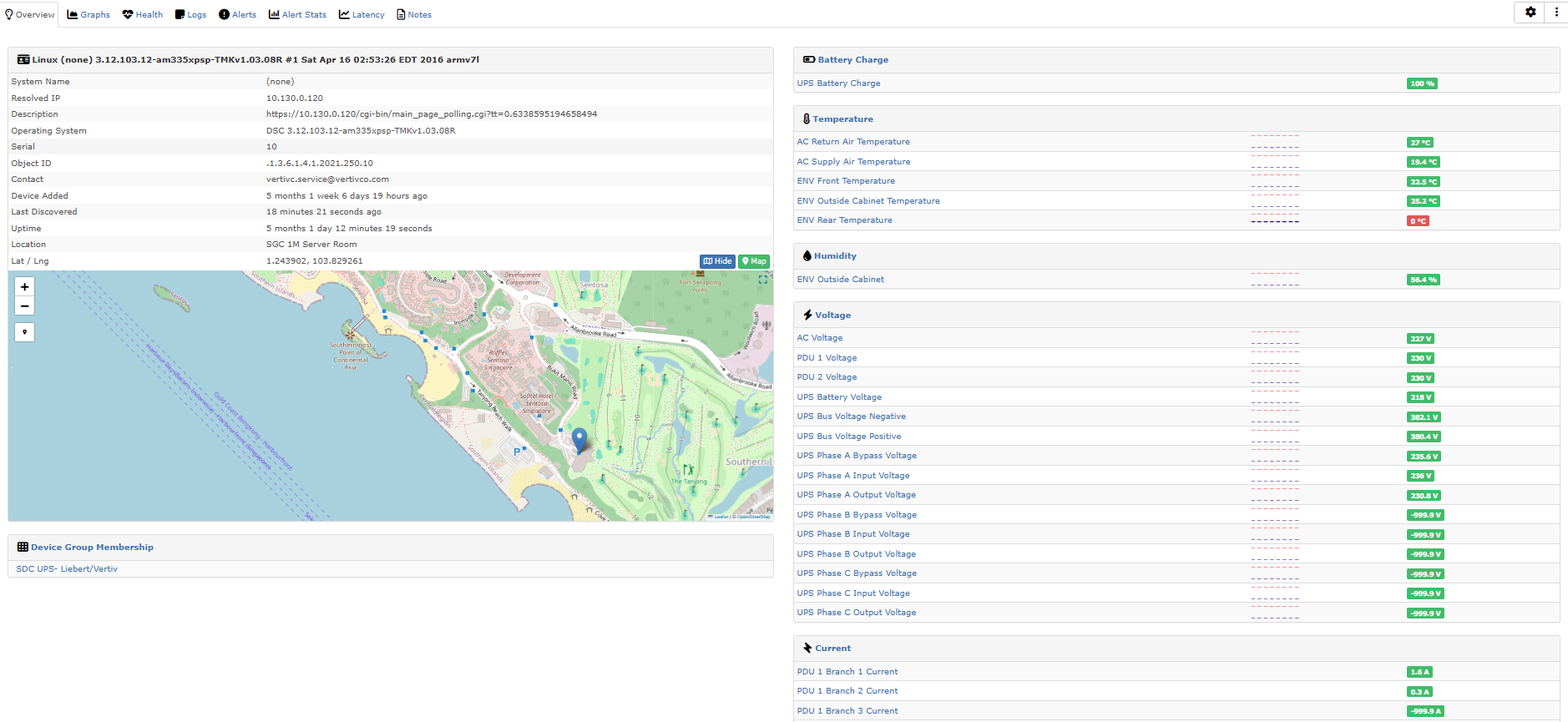
The unit is sending “-9999” for empty values when it should send nothing.
ill work on ignoring them.
can you verify the voltages and current values are accurate?
Hi @deagle746 ,
Temperature Reading is correct, but its not able to capture ENV Rear Temperature.
There’s sensor capturing Front, Rear and outside Temperature on the system.
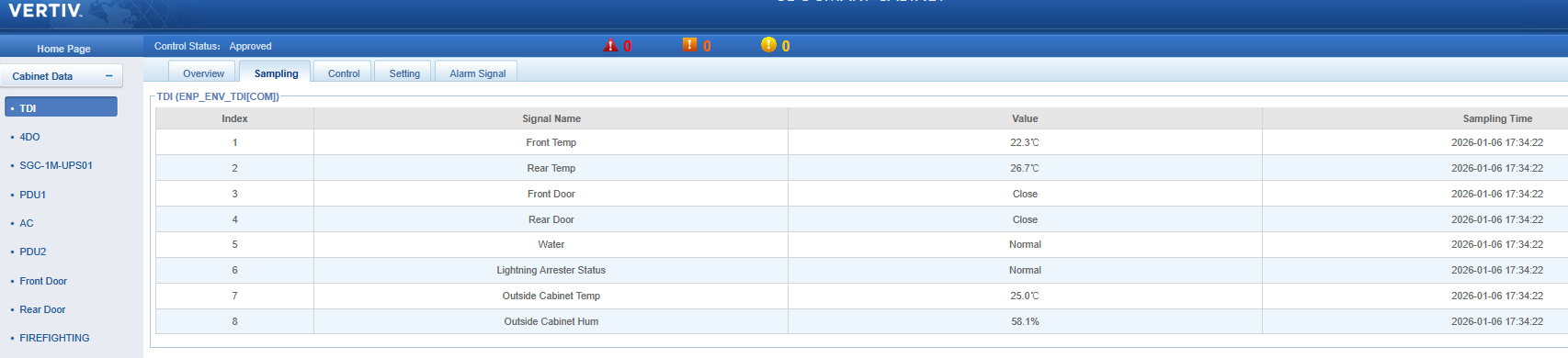
Reading for input/output Voltage, Current and Frequency is correct.
@sdckian I made some changes , please remove and re-apply the patch.
then re-discover the device.
and let me know how the sensor data looks.
@sdckian
I renamed a couple files.
I don’t know if it will give you an error removing the patch.
I renamed these files
opt/librenms/resources/os_discovery/vertiv-dsc.yaml
opt/librenms/resources/os_detection/vertiv-dsc.yaml
to vertiv-dcs.yaml
Maybe you will need to manually remove them.
Hi @deagle746 ,
Temperature Reading for Front, Rear and outside is correct. But AC Exhaust Air Temperature with value -99.99 °C.
I’ve checked and confirm our Smart Rack do not have sensor for AC Exhaust Air Temperature.
Confirmed that all other value match the reading of our sensors.
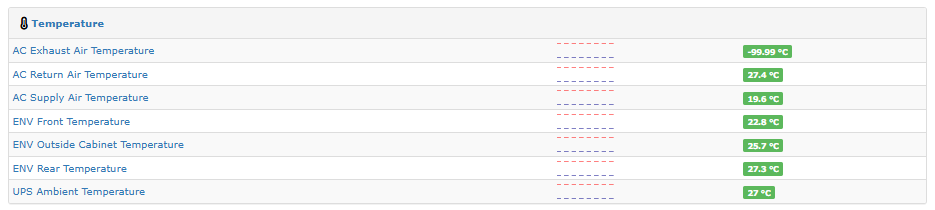
Ah i made a typo, Its fixed.
try removing and applying the patch and rediscover.
Hi @deagle746 ,
Confirmed AC Return Air Temperature value fixed.
Checked and confirm all reading is correct.

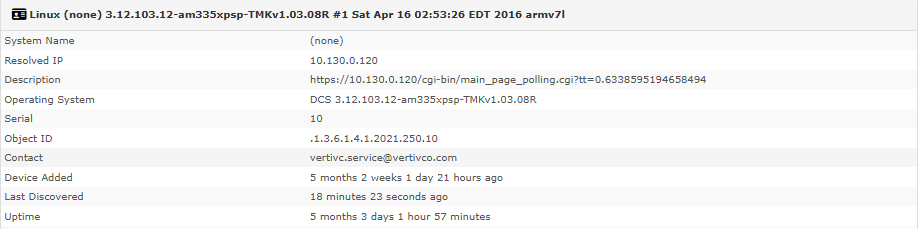
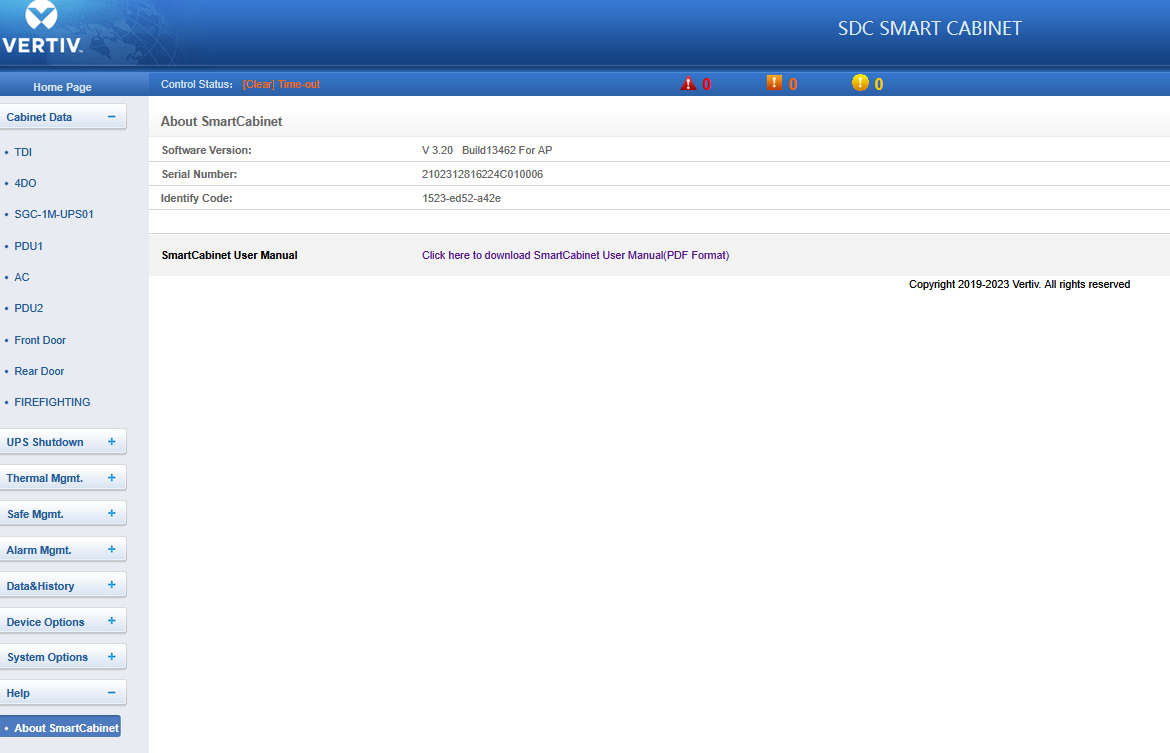
unfortunately only " systemLoaction" and " systemEquipNum" are available from the DCS MIB.
Could you collect the output from this command.
snmpwalk -v2c -c public 192.168.50.24 .1.3.6.1.4.1.13400
replace the community and ip.
Hi @deagle746 ,
Please see below mention link for the output.
Sorry but the Software Version , Serial Number and Identify code is not in the snmpwalk.
I removed the serial.
everything else looks good?
Hi @deagle746 ,
Yap, all look good.
Good deal, Thanks! 