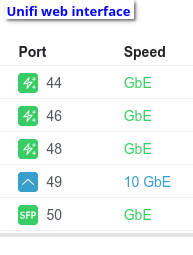
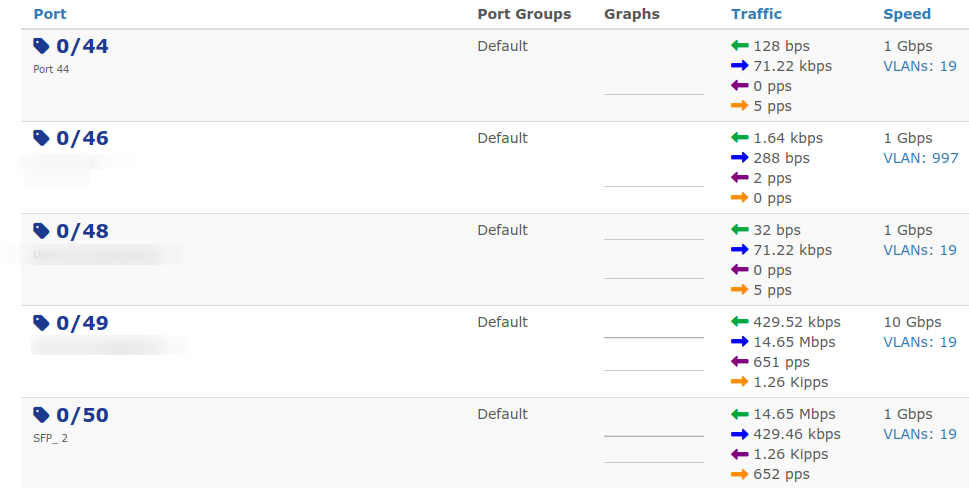
I have USW Pro Max 48 PoE and other UniFi devices and i ran into Issue with Port Speeds. In the Database and WebUI i always see the maximum speed of the port (2,5Gbps on screenshot) but once i connect 1Gbps or lower device and poll this device, Port Speed wont change. Probably wrong OID, when i did SNMP walk the right OID (for port 47) was 1.3.6.1.2.1.2.2.1.5.47 showing 1Gbps
In that Case iam not sure what is wrong with it… It just doesnt Change, tried it on different switch, tried it on different port but still nothing, LibreNMS gets one value for the port speed and never changes it again (non UniFi switches work)
SNMP get:
14.07.2026 12:28:44 (222 ms) : Custom OID 1.3.6.1.2.1.2.2.1.5.47
14.07.2026 12:28:44 (376 ms) : SNMP Datatype: ASN_UNSIGNED
14.07.2026 12:28:44 (384 ms) : -------
14.07.2026 12:28:44 (389 ms) : Value: 1000000000
14.07.2026 12:28:44 (392 ms) : Done
OK, missed the point of what you were saying - it is changes that don’t seem to work. I will try to find some port where I know the speed to have changed and see if LNMS tracks that correctly, but that is a bit trickier.
Found the problem… Someone accidently clicked on the Speed value when disabeling alerting on some ports and it made it manually set → would be nice to have some indicator where it shows if its overriden
the solution is just erase the speed in port settings and pressing enter (after poll it starts working)