Virtual Machines list - Enable click through to server

Hi

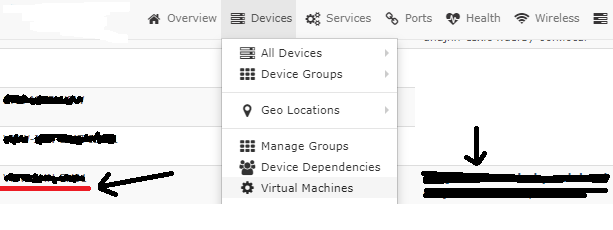
On the list of machines that appears when you select the “Virtual Machines” menu, is it possible to add a link to the server name on the left hand side, if it’s monitored, as currently works ok on the right hand side?
You can’t click through to the server on the left, even when it’s linked to the Virtual Server it’s running on in the device view.

Image with names obscured, adding a link on the left, highlighted red, which is already in place on the right:
image

Kind regards

At risk of replying to myself…!

Entirely by chance, I have just found that this feature is already in the application, but doesn’t appear to work correctly.
I have 1 newly discovered device which has added with a click through from it’s ESXi parent.

However this only works for 1 device and I can’t see any difference between that and 30/40 other VMs also on the cluster.
Any help on how this is configured and how to resolve this would be appreciated.

Kind regards