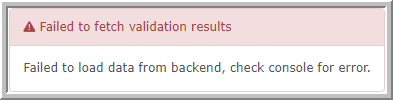
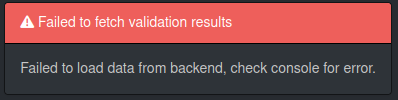
When trying to validate config on WebUI, it gives me an error: ‘Failed to load data from backend, check webserver.’
I tried Google Chrome and Firefox and it has the same issue. It started a few days back.
./validate.php from console looks fine:
====================================
| Component |
Version |
| LibreNMS |
22.5.0-32-g69a03bd |
| DB Schema |
2022_05_25_090027_drop_widgets_table (241) |
| PHP |
7.3.33 |
| Python |
3.6.8 |
| MySQL |
10.5.16-MariaDB |
| RRDTool |
1.4.8 |
| SNMP |
5.7.2 |
====================================
[OK] Composer Version: 2.3.7
[OK] Dependencies up-to-date.
[OK] Database connection successful
[OK] Database schema correct
Does anyone have similar problems or know a solution to this?
Thanks in advance
We have the same problem.
i’ve the same issue too, no matter which browser i use : Firefox , Brave, Chrome or Opera.
in my case i thought it was a problem of the varnish cache, since i’ve implemented a varnish service inside the same server , and i was trying to bypass the url from there. also created a section in nginx under conf.d / librenms.conf which would allow that /validate URL , but i ended up on the same result.
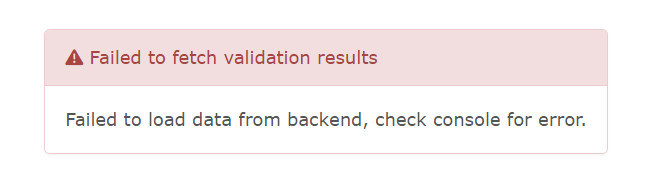
Same here, using the docker image. The log says
production.ERROR: Undefined offset: 1 {"userId":1,"exception":"[object] (ErrorException(code: 0): Undefined offset: 1 at /opt/librenms/LibreNMS/Validations/WebServer.php:54)"}
Mine was fixed, I guess through the updates. I do have an error if I check from the web UI validate:
FAIL: server_name is set incorrectly for your webserver, update your webserver config. ..net parse failure (/validate/results)
Fix:
server_name ..net;
When I run validate from the console there are no errors and I checked the conf file, server name is OK, as suggested in the “Fix”
valide and dailyupdate through command line gives no error. Still the same through GUI

librenms:/opt/librenms$ ./validate.php
| Component |
Version |
| LibreNMS |
22.6.0 |
| DB Schema |
2022_05_30_084932_update-app-status-length (242) |
| PHP |
7.4.29 |
| Python |
3.9.7 |
| MySQL |
10.5.16-MariaDB-1:10.5.16+maria~focal |
| RRDTool |
1.7.2 |
| SNMP |
5.9.1 |
| ==================================== |
|
[OK] Installed from package; no Composer required
[OK] Database connection successful
[OK] Database Schema is current
[OK] SQL Server meets minimum requirements
[OK] lower_case_table_names is enabled
[OK] MySQL engine is optimal
[OK]
[OK] Database schema correct
[OK] MySQl and PHP time match
[WARN] IPv6 is disabled on your server, you will not be able to add IPv6
devices.
[OK] rrd_dir is writable
[OK] rrdtool version ok
[WARN] Non-git install, updates are manual or from package
Before my error changed I did have a problem with “Failed to fetch version from local git: fatal: unrecognized argument: -q” so I followed the solution on this forum and did:
yum -y remove git
yum -y remove git-*
yum -y install https://packages.endpointdev.com/rhel/7/os/x86_64/endpoint-repo.x86_64.rpm
yum install git -y
git --version
git version 2.36.0
Not sure if it had anything to do with this error fixing itself but you can try. I am on Centos 7
I have been experiencing the same issue since I last installed 22.7.0 Docker Update
Solved mine :
run the following on your root :
pip3 install -r /opt/librenms/requirements.txt
Regards,
Ahsan Muhammad.
Installing the requirements worked for me. For some reason pip wasn’t installed… After installing the requirements, everything is working as it should.